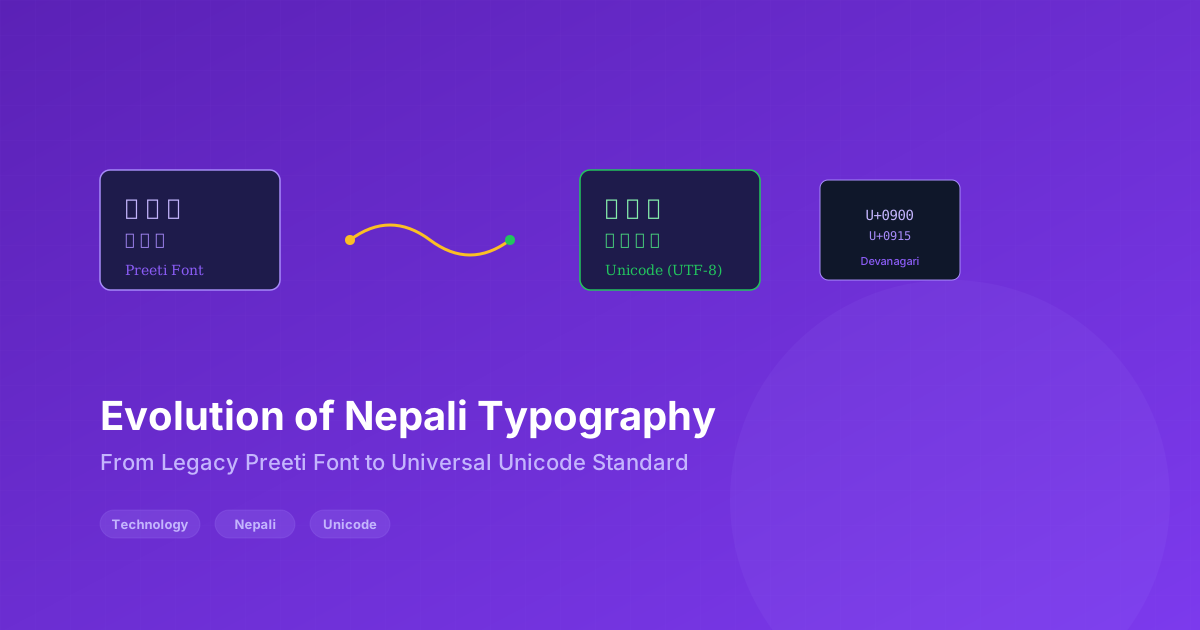
The Evolution of Nepali Typography: From Legacy Preeti to Universal Unicode
The digitization of the Nepali language has undergone a massive technical evolution over the past two decades. As government offices, media houses, and everyday users transitioned from typewriters to computers, the methods for encoding the Devanagari script had to adapt.
Today, understanding the difference between legacy ASCII fonts (like Preeti) and modern Unicode is essential for document formatting, data archiving, and web development in Nepal.
The Era of Legacy Fonts (1990s-2010s)
Before Unicode became widely adopted, Nepali typing relied on proprietary fonts that mapped Devanagari characters to the ASCII character set. The most famous of these was the Preeti font.
How Legacy Fonts Worked
Preeti and similar fonts (Himalaya, Kantipur, etc.) used a clever trick: they mapped Nepali characters to the positions normally occupied by English letters. For example:
- Typing "a" displayed "अ"
- Typing "b" displayed "ब"
- Typing "c" displayed "च"
This meant that when you typed "namaste" in Preeti font, it displayed "नमस्ते" — but the underlying text was still the ASCII characters "namaste". This had profound implications:
-
Font-dependent display — If you opened a Preeti document on a computer without the Preeti font installed, you would see garbled English letters instead of Nepali.
-
No searchability — You could not search for "नमस्ते" because the underlying text was "namaste". Search engines could not index Nepali content.
-
No copy-paste compatibility — Copying text from a Preeti document and pasting it into a Unicode document produced garbage characters.
-
Platform lock-in — These fonts only worked on Windows with specific software installed. Mac, Linux, and mobile users were out of luck.
The Adoption Problem
Despite these limitations, Preeti became deeply entrenched in Nepali computing because:
- It was free and widely distributed
- Government offices adopted it as a de facto standard
- An entire generation learned to type using Preeti
- Thousands of documents were created in Preeti format
- Most Nepali websites used Preeti for their content
The Unicode Revolution
Unicode is a universal character encoding standard that assigns a unique number to every character in every writing system. For Devanagari (used by Nepali, Hindi, Sanskrit, Marathi, etc.), Unicode provides:
- Unique codepoints — Every Nepali character has a permanent, universal identifier (e.g., अ = U+0905, क = U+0915)
- Font independence — Unicode text displays correctly with any Unicode-compliant font (Noto Sans Devanagari, Mangal, Arial Unicode MS, etc.)
- Universal compatibility — Works on Windows, Mac, Linux, iOS, Android, and the web
- Searchability — Search engines, databases, and applications can process Nepali text natively
- Future-proof — Unicode is maintained by the Unicode Consortium and will not become obsolete
The Transition Period
The shift from Preeti to Unicode was not smooth. It involved:
- Retraining typists — People who learned on Preeti had to learn new keyboard layouts
- Converting archives — Government offices had to convert decades of Preeti documents to Unicode
- Software updates — Applications had to support Unicode input and display
- Standardization — The Nepal Government established the Nepal Unicode Standard to ensure consistency
Transliteration: The Modern Approach
Today, most Nepali users type using transliteration — they type phonetic English letters and the software converts them to Nepali in real-time.
For example:
- Typing "namaste" → displays "नमस्ते"
- Typing "mero naam" → displays "मेरो नाम"
- Typing "nepal" → displays "नेपाल"
This approach has several advantages:
- No special keyboard needed — Anyone who can type English can type Nepali
- Intuitive — Phonetic mapping is easier to learn than memorizing a new keyboard layout
- Bidirectional — Easy to switch between English and Nepali mid-sentence
- Accessible — Works on any device with a standard keyboard
Popular Transliteration Tools
Several tools now offer Nepali transliteration:
- Google Input Tools — Browser-based transliteration for multiple languages
- Microsoft Indic Language Input Tool — Desktop application for Windows
- Android Gboard — Built-in Nepali transliteration on mobile
- SecureX Preeti-Unicode Converter — Convert legacy Preeti text to Unicode
The Current State (2026)
The transition from Preeti to Unicode is now largely complete in Nepal:
- Government — All official documents, forms, and websites use Unicode
- Education — Schools teach Unicode typing, not Preeti
- Web — Nearly all Nepali websites use Unicode (UTF-8 encoding)
- Mobile — Smartphone keyboards default to transliteration
- Legacy — Preeti is still encountered in old documents and archives
However, the legacy problem persists. Many old files, scanned documents, and archived websites still use Preeti. Converting these to Unicode remains an ongoing challenge.
Why This Matters for Developers
If you are building software for the Nepali market, Unicode support is non-negotiable:
- Database — Use UTF-8 encoding to store Nepali text
- API — Ensure your APIs accept and return UTF-8
- Frontend — Use Unicode-compliant fonts and test with Nepali content
- Search — Implement proper Unicode-aware search (not just ASCII matching)
- Conversion — Consider offering Preeti-to-Unicode conversion for users with legacy documents
At SecureX Lab, we built our Preeti-to-Unicode converter specifically to bridge this gap. It uses character mapping tables that correctly translate Preeti-encoded text to proper Unicode Nepali, preserving the content while making it universally readable.
The Future of Nepali Typography
The evolution continues. Some emerging trends:
- Voice typing — Nepali speech-to-text is improving rapidly, reducing the need for keyboard input altogether
- AI-assisted translation — Machine translation between Nepali and English is becoming more accurate
- Augmented reality — AR apps that can read and translate Nepali text in real-time from camera input
- Standardization — Continued refinement of Unicode standards for Nepali-specific characters and conjuncts
Practical Tips for Nepali Content Creators
If you are creating content in Nepali, here are some practical guidelines:
-
Always use Unicode — Whether for websites, documents, or social media, Unicode ensures your text displays correctly everywhere.
-
Choose the right font — For web use, Noto Sans Devanagari is free and widely supported. For print, traditional fonts like Kalimati or Purnachar are popular.
-
Test on multiple devices — Always preview your Nepali content on Android, iOS, Windows, and Mac to catch rendering issues.
-
Offer conversion tools — If your audience includes users with legacy Preeti documents, offer a converter tool to help them migrate to Unicode.
-
Use proper metadata — For websites, set the lang attribute to "ne" and the charset to UTF-8 to help search engines and browsers handle your content correctly.
The Cultural Dimension
The shift from Preeti to Unicode is not just technical — it is cultural. For many older Nepalis, Preeti was how they first experienced computing in their language. It carries nostalgia and familiarity. But Unicode represents something larger: Nepal's place in the global digital ecosystem.
When Nepali text works seamlessly on every device, in every application, and on every platform, it becomes as accessible as English. This opens doors for Nepali speakers to participate fully in the digital world — from online education and e-commerce to government services and social media.
The journey from Preeti to Unicode represents more than a technical change — it is the story of Nepal's digital transformation, and how a nation adapted its ancient script for the modern age.

Prabin Uprety
Founder, SecureX Lab • Full-stack developer and cybersecurity researcher based in Birtamode, Nepal
Prabin Uprety is the founder of SecureX Lab, a software development and SaaS company based in Birtamode-4, Jhapa, Nepal. With over 5 years of experience in full-stack development (React, Next.js, Django, Node.js), Prabin specializes in building privacy-first tools for Nepali users and contributing to the local open-source community. His work focuses on bridging the gap between advanced technology and practical, everyday needs — from secure document conversion to Bikram Sambat date utilities. Prabin holds a degree in Computer Science and regularly writes about cybersecurity, AI, and Nepal's digital transformation. Connect with him on LinkedIn or follow his work at securexlab.com.